Now inviting beta families
Photograph your fridge or a recipe card and Sage reads it straight onto the list. Say a whole messy list out loud and it sorts itself. Even the kids can add their own — one shared list that learns how your family shops.
Join the beta on TestFlight →iPhone only · free install through Apple's TestFlight app
Not on iPhone yet, or want to wait for the public launch?
Sound familiar?
The kids holler "we're out of ice cream!" or "we need strawberries!" from the other room — you're mid-something, and somehow you're the one expected to remember it by the time you're at the store.
…but Sage changes that. Everyone adds their own — and nothing slips.
Share a kid code. Kids add what they want (they can't change or delete). You stop being the only one carrying the list.
Rattle it all off — "milk, two dozen eggs, paper towels, shampoo for Jane" — and Sage splits it into clean, separate items. Or type it. Whatever's fastest.
Sage files each item to the store you usually buy it at — and gets smarter every week. The list starts building itself.
Things no other grocery list does

Snap a photo
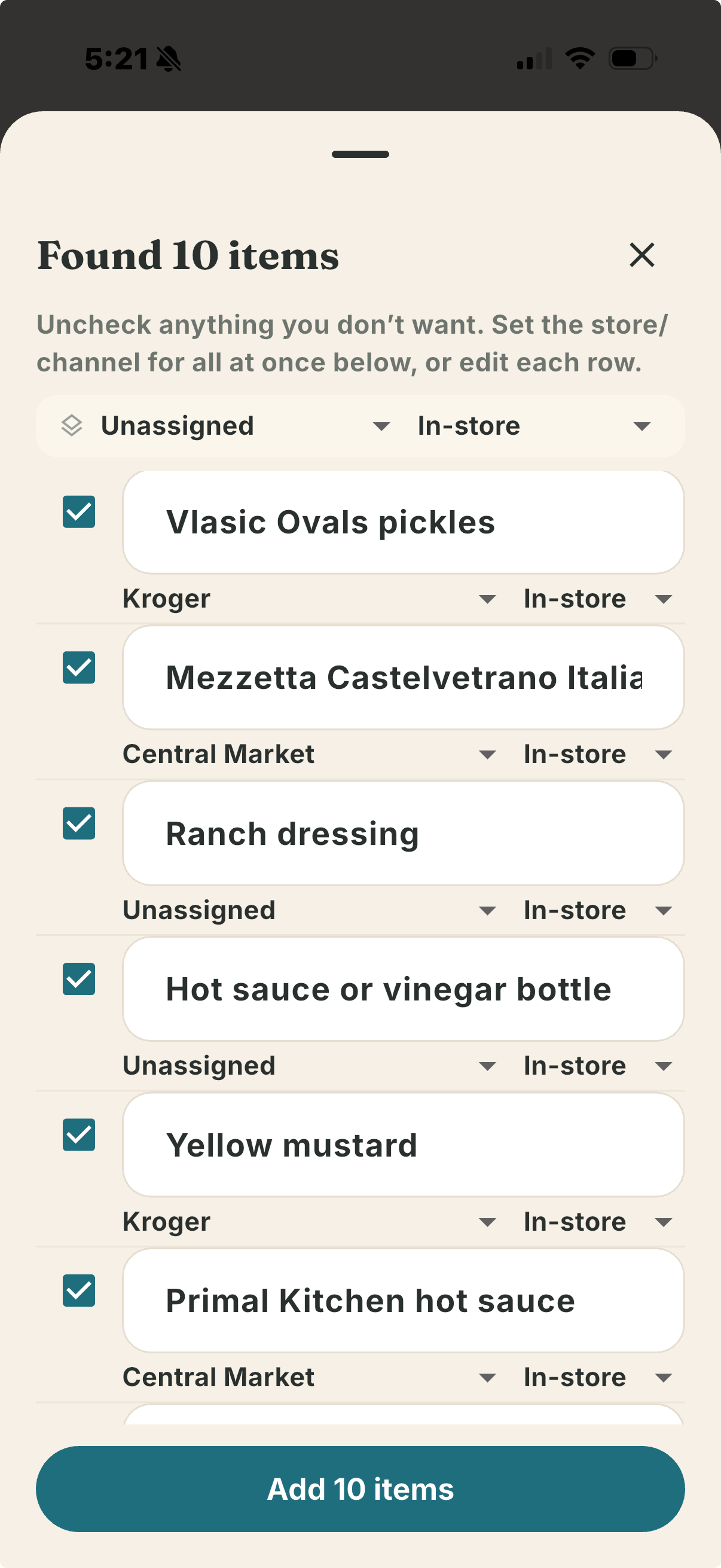
Open the fridge, take one picture, and Sage names everything it sees — Vlasic pickles, Castelvetrano olives, yellow mustard, ranch. Keep what you need with a tap and it's on the list. Not a word typed.
Build from your recipe box
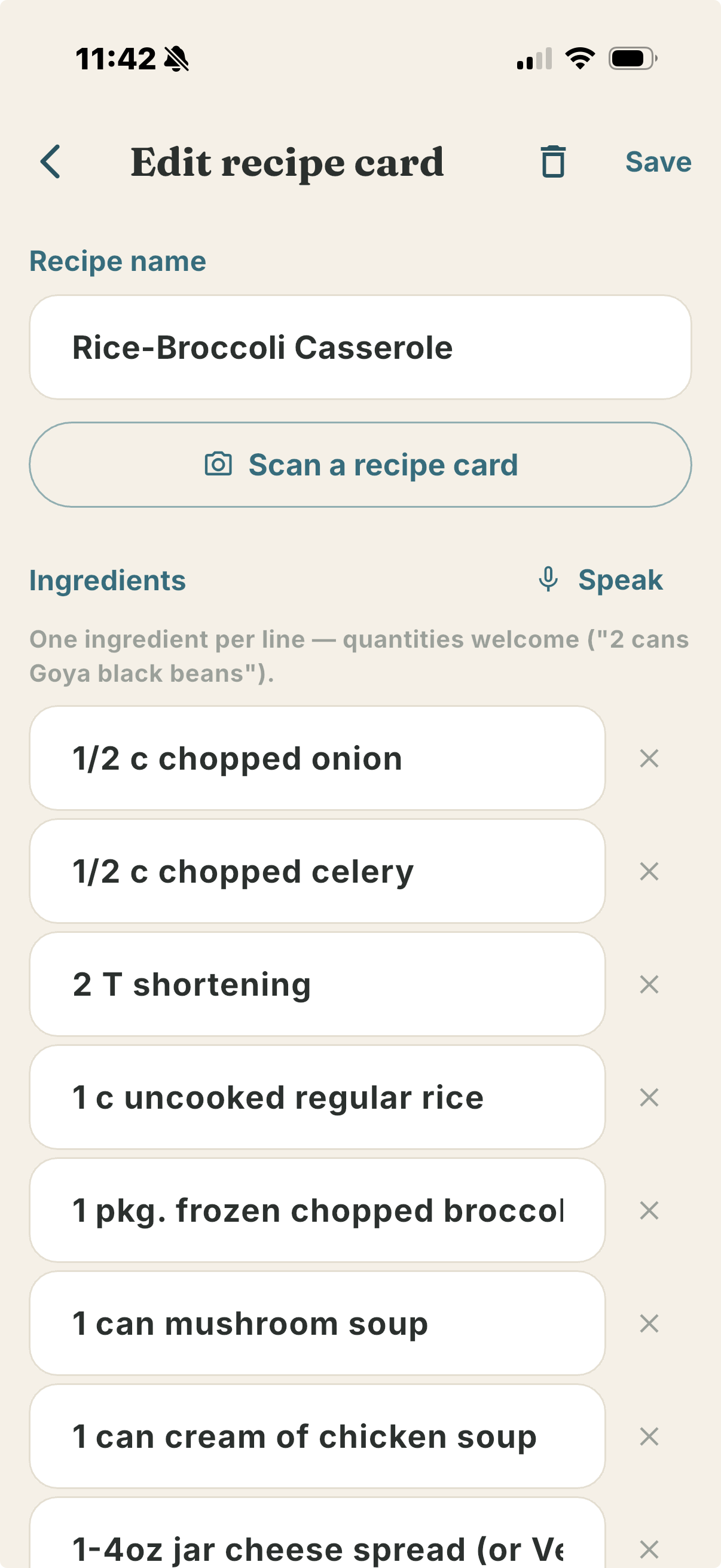
Snap a handwritten or printed recipe — even front and back — and Sage pulls out every ingredient. One tap pushes the whole thing to your grocery order. Grandma's recipe box, straight onto the list.
See it in action
1. Tap Join the beta on TestFlight above.
2. Install Apple's free TestFlight app if you don't have it, then install Sage Grocery.
3. Sign in with Apple or Google and set up your family.
4. Tell us what you think — a quick voice memo or email to
info@sagefamilyapp.com is perfect. Honest beats nice.